The brief
If you browse in Safari on an iPhone and work in Chrome on a Windows PC, nothing carries a page between them. Apple and Google each sync only their own browsers, and the workarounds mean keeping a Mac awake or mailing links to yourself.
What I built
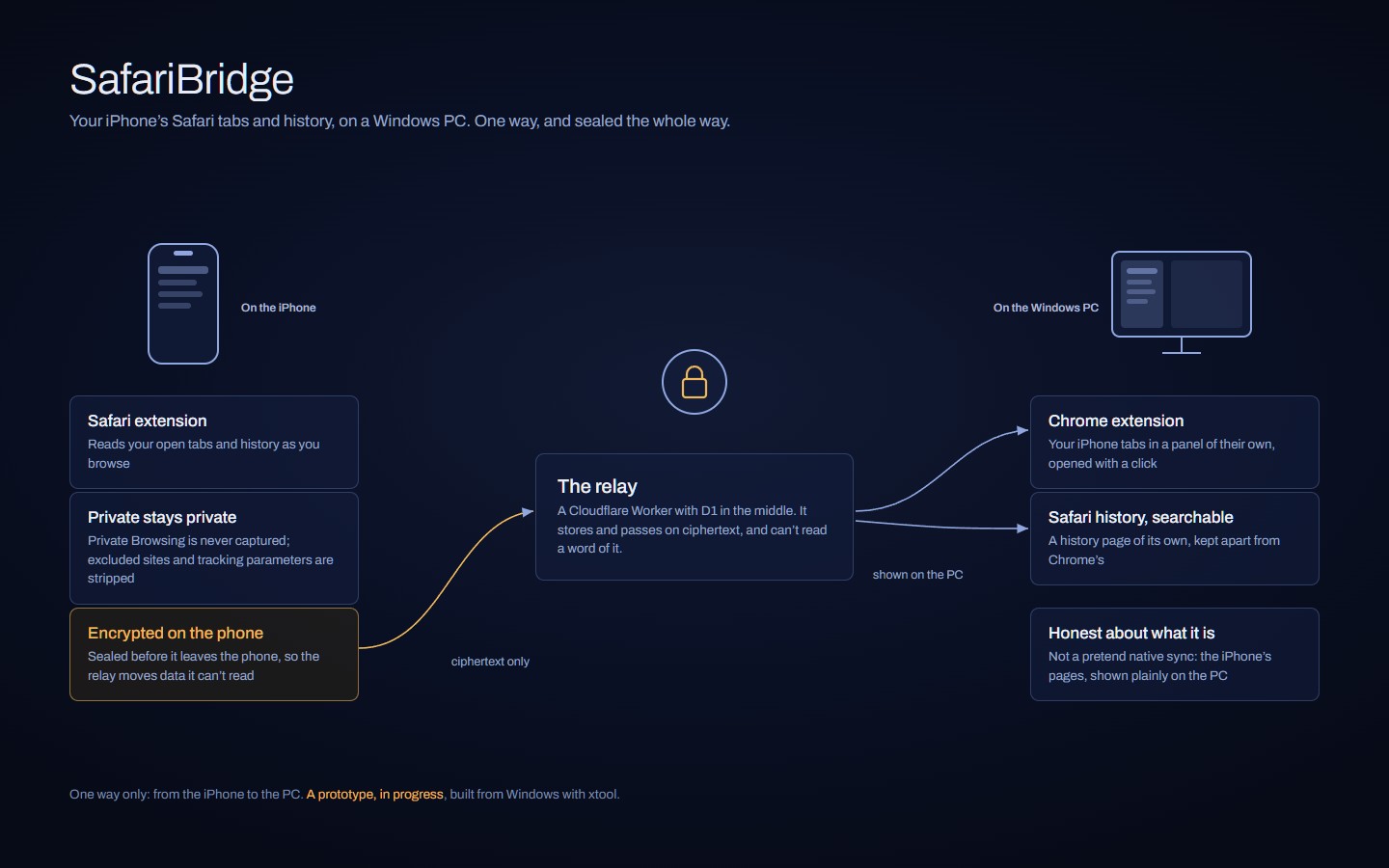
A one-way bridge: a Safari extension on the iPhone, a relay in the middle, and a Chrome extension that shows your iPhone tabs and Safari history on the PC.
- Designed so everything is encrypted on the phone before it leaves: the relay moves data it can’t read.
- Private Browsing is never captured, and excluded sites and tracking parameters are stripped before anything is sent.
- Honest about what it is: Safari history and iPhone tabs in their own Chrome panel, not a pretend native sync.
How it works
The iPhone side is Swift, built from Windows with xtool. The relay is a Cloudflare Worker with D1 that only handles ciphertext. The Chrome side is a Manifest V3 extension with its own searchable history page.
What came of it
Tab capture works end to end on a real iPhone. It’s a prototype for now, built for one person first, and a good example of the problems I like: two platforms that don’t talk, joined carefully.
Want something like this?
I build things like this for people with an idea and not enough hours. Tell me what you’re making.
Open to a few small projects: websites, apps and automation.
Email me at
If you can, mention
- What you needa few lines is plenty
- When you need ita date, or no rush
- A rough budgeta range is fine
No fixed prices. Tell me the budget and I’ll say what fits.
What happens after you email
- You email what you need; I reply by email with questions.
- A written, fixed-scope proposal.
- I build it, and hand it over with everything you need to run it.